






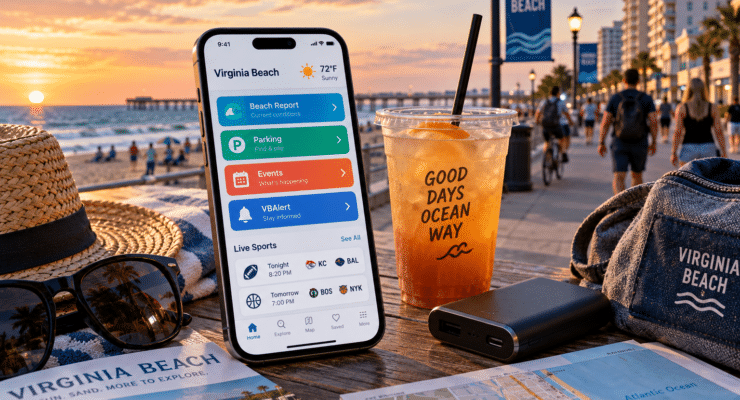
A Virginia Beach trip can look wonderfully simple from a hotel window: ocean, sand, Boardwalk, done. The phone tells a more complicated story. Beach warnings, parking availability, event schedules and live sports can all change the plan within an hour. A few local digital tools make those changes much easier to handle.
Start With the Beach, Not the Weather App
A generic forecast can say “sunny” while the ocean has other ideas. Virginia Beach runs its own Beach Report, a text service that sends updates about rough surf, rip currents, water quality closures and electrical storms. Visitors can join by texting BEACH to 67283, then leave the forecast guessing to someone else.
That kind of local information matters when a vacation day mixes several interests. Someone may spend the afternoon at the Oceanfront, then check scores or the MelBet apk while following a match away from home. The useful part is keeping each screen in its lane: city alerts for local conditions, sports services for the game.
Before heading toward the sand, a phone can cover three jobs in a minute:
- Check whether the Beach Report has issued a new status.
- Look at the day’s local events before choosing where to park.
- Save the hotel location before wandering several blocks down the Boardwalk.
Simple preparation, yes. Still better than discovering a closed beach access point after carrying chairs, towels and a cooler across half the resort area.
Parking Deserves Its Own Screen
Oceanfront parking becomes more complicated during festivals and large event weekends. Virginia Beach recommends Waze for current road activity and traffic information, while VB Go combines city events with parking information. Passport Parking also lets drivers pay at participating city meters and lots from a phone and extend a session without returning to the car.
VB Go is especially useful for visitors who have not built every hour in advance. It collects events from city organizations including Parks and Recreation, the Virginia Aquarium, public libraries, the Convention and Visitors Bureau and the Sandler Center. A quiet afternoon can become a concert, park visit or aquarium stop without much detective work.
For a smoother Oceanfront day, the order matters:
- Open the event calendar before leaving the hotel.
- Check traffic once the destination is clear.
- Find parking before reaching the busiest blocks.
- Set a parking reminder if the chosen space has a time limit.
Nobody travels to Virginia Beach for the thrill of extending a parking session. The phone can at least make the chore brief.
Keep Live Sports in the Background
Vacation does not always line up politely with a sports calendar. A visitor may have a baseball game, football matchup or international tournament running while everyone else wants seafood and another walk along the Boardwalk. The sensible answer is usually not to sacrifice the whole evening.
Live scores and notifications make it easier to follow a game in fragments. Someone using MelBet or another sports service can check the state of play between activities, then put the phone away again. For official results, schedules or rule details, league and event organizers remain the better source.
Mobile data also deserves some planning. Hotel WiFi may work well indoors but disappear on the beach, while constant location services, navigation and live updates can drain a battery faster than expected. Downloading maps where possible and carrying a charged power bank removes two boring problems before they become annoying ones.
Let Virginia Beach Send the Important Alerts
The city has a second layer of notifications for situations bigger than a beach flag. VBAlert can send emergency information by text, email or phone, including severe weather warnings, evacuation notices, road closures and major transportation disruptions. Visitors can sign up too.
Virginia Beach also offers separate text updates for major Oceanfront events. During busy weekends, those messages can carry practical information about safety and traffic conditions around crowds. That is more useful than learning about a road closure after the navigation app has already delivered a car to it.
A phone set up for the trip does not need twenty new apps. It needs a few reliable local channels, sensible notifications and enough battery to keep them running. Then the device can return to its proper vacation role: helping with the plan without becoming the plan itself.




 Events


