






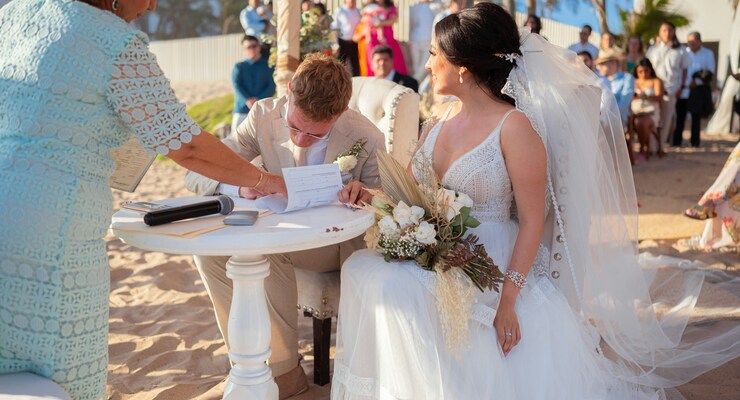
Imagine your guests hearing the ocean, seeing the sunlight, and watching your vows in real time, even if they’re thousands of miles away. Beach weddings make stunning livestreams, but only when the tech runs smoothly. Spotty WiFi, windy audio, and wobbly camera angles can break the magic at the worst moments.
The good news is that with a simple, well-planned streaming checklist, you can keep everyone connected without stress. Here’s how to set up a smooth, memorable stream that feels as beautiful as your beach ceremony.
Setting Up a Beach Wedding Stream
A beach venue brings its own personality to a livestream. Natural light, outdoor noise, and open space can all affect the setup. Couples who plan ahead usually feel less stressed, and guests watching from home appreciate a steady and clear view.
A little testing before the big moment keeps surprises to a minimum. To make early planning easier, here are a few practical steps couples can handle right away:
- Test the streaming platform on multiple devices
- Try a short recording at the ceremony time
- Confirm who will manage the stream during the event
Preparing the Venue for Smooth Streaming
Even the most picturesque beaches can have unpredictable internet. Public connections may slow down when many people are nearby, and that can lead to choppy video. Checking signal strength in advance helps couples avoid last-minute issues.
Guests viewing remotely also benefit from secure, stable connections, especially when joining from shared networks. This is where tools like VPN Pro can help remote guests feel confident about their privacy while watching from hotel WiFi or café hotspots. It’s a simple way to keep personal data safe without adding work for the couple.
Choosing the Right Equipment for a Beach Ceremony
Gear placement matters more than many people expect. A tripod might wobble on soft sand, and microphones pick up the sound of the beach wind easily. Couples who test their equipment outdoors quickly spot these small issues.
Steady angles and balanced sound make a big difference for guests who can only join virtually. On the day of setup, consider these specific details to keep everything stable:
- Ensure the tripod is firmly anchored
- Use a windscreen for better audio
- Charge backup power sources beforehand
Helping Guests Enjoy a Seamless Stream
Remote guests want to feel connected to the moment, even from miles away. Creating a welcoming viewing experience makes the celebration feel more personal. Couples can add small touches, like a brief greeting video recorded at the venue or a message that sets the mood for the day.
These little details help guests feel like they’re stepping into the atmosphere rather than simply watching a feed. Interactive elements such as a digital guestbook or a place to send well wishes can give viewers a sense of involvement and help them share in the excitement as events unfold.
Guiding Guests Before the Ceremony
Before the wedding starts, guests often need a bit of practical guidance so they know exactly how to join the stream. A simple note sent in advance can outline when the broadcast will open, how the link will be delivered, and what to do if they need technical help. This kind of clarity keeps everyone on the same page and helps every family stay connected without last-minute confusion.
Couples can also let guests know what parts of the day will be streamed so they understand the schedule. With expectations set early, remote viewers can settle in and enjoy the event without rushing or guessing.
Keeping Your Beach Wedding Streaming Checklist Simple
A simple, thoughtful checklist can make your beach wedding stream feel just as magical as the in‑person moment. When you cover the basics like connection, sound, and camera setup, the whole experience becomes smoother for everyone watching.
With a little preparation, your guests can relax, enjoy the view, and feel genuinely included in your celebration. If you’re planning your own hybrid ceremony, explore our blog for more tips and inspiration, and feel free to drop any questions you’re curious about.




 Events


