




Virginia Beach runs on seasons. Summer brings crowds, festivals and surf lessons, and the shoulder months bring a different kind of visitor. Small businesses and event organizers have to keep up with that rhythm: a poster for a weekend market, a social post for a spring sale, a banner for a charity run, a graphic for a rental shop's new hours. Each one needs a picture, and the budget for a photographer rarely stretches to all of them.
AI image tools fill part of that gap. Local marketers who want something better than stock photos can try the AI Image Generator at Higgsfield, which lists more than fifteen image models in one workspace. Higgsfield AI is a native AI creative suite, which offers advanced AI image, video, and voice generation, editing, and upscaling tools. This guide explains where generated images help a local business, where real photographs should still lead, how to write prompts, and how to avoid misleading the visitors a city depends on.
Why Do Local Businesses Need Fresh Visuals Every Season?
A tourism economy changes its message through the year. A surf school promotes lessons in summer and gift cards in winter. An events company promotes a festival in spring and a holiday market in December. A rental business changes its photos, hours and offers with the weather.
That means a lot of small design jobs, often by someone who also runs the business. Waiting for a custom photo shoot for each one is slow and costly. Generated images allow a business to produce a decent first version of an illustration, a background or a poster in minutes, then refine it.
The risk is that visitors trust what they see. A picture of a beach, a room or a product is a promise. If the picture does not match reality, the visitor feels misled, and the business pays for it in reviews.
How Does the Local Climate Shape a Content Calendar?
Planning visuals around the weather is one of the easiest ways to be both useful and honest. The city's official guide to Virginia Beach climate and temperature describes a pleasantly moderate climate through the year, with spring arriving sooner and fall staying longer. That is a helpful note for any marketer, because it points to more than one busy season.
A simple calendar might look like this:
- Spring. Outdoor markets, 5K events, bike rentals, garden and home promotions.
- Summer. Beach gear, lessons, camps, evening events and family activities.
- Fall. Longer, calmer days for photography sessions, fishing trips, festivals and weekend breaks.
- Winter. Indoor events, gift cards, holiday markets and planning ahead for the next season.
Create a visual style for each season, then use the AI Image Generator to produce backgrounds, illustrations and graphics in that style. Using the same style across a season gives a business a recognizable look without a large budget.
What Can an AI Image Generator Make for a Local Business?
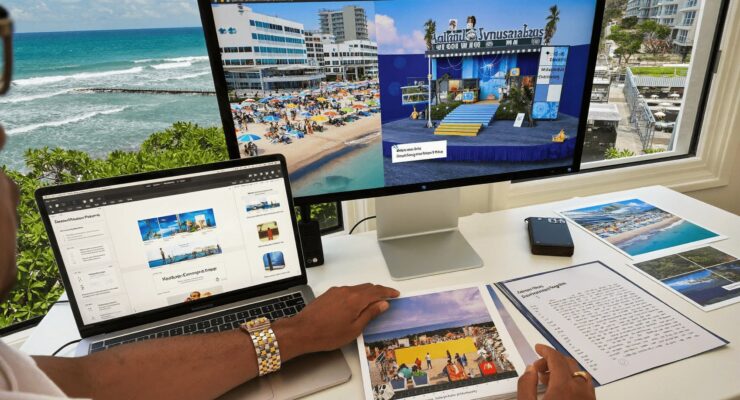
Higgsfield's image page reads like a toolbox for a small marketing team. It describes a single workspace that holds models such as Nano Banana Pro, GPT Image, Seedream, FLUX and the in house Soul model, so one prompt can be compared across looks. For a recurring mascot, Soul ID is described as holding a character's identity steady from image to image. When one detail is wrong, Nano Banana Pro Inpaint lets you brush over just that area. Brand colors can be matched by typing Hex or RGB codes, and the page lists several shapes, including 1:1, 9:16, 16:9, 3:4 and 4:3. Finished stills can be animated with models such as Sora 2, Kling, Seedance or WAN, there is a Team Plan for shared work, and Higgsfield says it is free to start with daily credits. Together, these features cover most of what a seasonal poster, banner or social post requires.
The right use for most local businesses is illustration, backgrounds, patterns and graphics, not fake photographs of real places.
How Do You Write Prompts for Local Promotional Graphics?
Good prompts name the subject, setting, style and use. A sample for a spring market poster:
"A bright flat illustration of a seaside street market with striped awnings, flower stalls and bicycles, soft spring light, pastel colors, clear empty space at the top for a title, poster layout."
A few habits make this work better:
- Describe the purpose. "Poster," "Instagram story background" or "website banner" tells the model how to compose.
- Leave space for text. Ask for empty areas where you can add the headline in your own editor.
- Choose a style that does not pretend to be a photograph. Flat illustration, watercolor or a simple graphic style makes it clear that the image is a design, not a record.
- Name colors. Use brand colors, and enter the Hex codes if the tool supports it.
- Change one thing at a time. If the composition is right but the colors are off, adjust only the colors.
- Generate several options. Choose the best and discard the rest.
How Do You Keep a Consistent Brand Look?
A business that looks different on every post looks unreliable. A few habits keep a look consistent:
- Write a one paragraph style guide. Include colors, illustration style, mood and typography notes, and paste it into every prompt.
- Use Soul ID for a mascot. If the business has a character, such as a cartoon gull or a surfboard with a face, create it once and reuse it.
- Keep the model the same across a campaign.
- Add logos and text in a design tool, not in the generated image, so spelling and placement stay under your control.
- Save the best prompts in a shared document with the results.
Consistency matters more than perfection. A simple, repeatable look is better than a single brilliant image.
Where Should Real Photos Still Lead?
AI images are not a substitute for reality when reality is what the customer is buying. In a destination like Virginia Beach, the following should be real photographs:
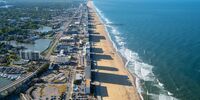
- The beach, the water and the weather. Visitors plan trips around conditions. A generated image of a perfect sunset beach misleads.
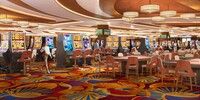
- Rooms, spaces and venues. Anyone booking a place to stay or hold an event needs to see the actual space.
- Products for sale. Show the real item, not an idealized version.
- People and staff. Use real photos of real teams.
- Event crowds. A generated crowd gives a false impression of popularity.
- Landmarks. Do not alter or invent features of real places.
A good rule is that generated images set the mood and real photographs make the promise.
How Do You Fix Small Errors Without Starting Over?
Generated images often have small flaws: a garbled sign, an odd shape, a color that clashes with the brand. Fix them with editing instead of regenerating the whole image.
Nano Banana Pro Inpaint lets you brush over the problem area and change just that part. This is the quickest way to correct a stray object, a wrong color or a label. A sensible workflow is to get the overall composition right first, then fix the details.
Common problems to check include:
- Text in the image. Signs and labels are often wrong.
- Hands and faces, if people appear.
- Impossible details, such as extra windows or oddly merged objects.
- Cultural or local errors, such as the wrong flags, uniforms or landmarks.
What About Text on Posters?
The safest approach is to keep headlines out of the generated image. Add the event name, date and location in a design tool where you control the font and spelling. A single wrong digit in a date is a costly mistake.
If an image does need a short piece of text, put the exact words in quotation marks in the prompt and keep it brief. Higgsfield describes Nano Banana Pro as rendering text cleanly, but check every character, and never assume it is correct.
What Sizes Do You Need?
Choose the shape before you generate:
- 9:16 for stories and short vertical video.
- 1:1 for social feeds and listings.
- 16:9 for website headers and video thumbnails.
- 3:4 or 4:3 for posters, flyers and printed signs.
The image page lists these ratios. Cropping afterward usually costs composition, so decide first. For print, test one page at full size before printing a batch, since an image that looks fine on a phone can look soft on a banner.
How Should Businesses Disclose and Follow the Rules?
Honesty is good business and, increasingly, a legal matter.
- Do not make misleading claims. Advertising has to be truthful. A generated image that implies a product, service or condition that does not exist is a risk.
- Label where it matters. If an image could be mistaken for a photograph, say it is an illustration or AI generated.
- Respect copyright and trademarks. Do not ask for the style of a named artist or the logo of another business.
- Avoid real people. Do not generate images of identifiable people, local officials or celebrities.
- Check licensing. Higgsfield describes its results as commercial ready but points users to its Terms page for the actual license. Read it before using images in paid advertising.
- Follow platform rules. Social networks and ad platforms have policies on synthetic media.
How Can Two Local Businesses Share One Visual Style?
Neighboring businesses often promote the same events, such as a boardwalk festival or a charity run. Sharing a visual style across their posters and posts makes the event look organized and saves each business the cost of designing from scratch.
A simple arrangement works well. One organizer writes the style paragraph, with colors, illustration style and the placement of the logo, and shares it as a short document. Each business then generates its own backgrounds from that paragraph and adds its own details. Before anything is published, one person checks dates, times, addresses and sponsor names against the event's official page. That review matters more than any design choice, because a wrong time on a shared poster misleads hundreds of people at once.
What Are the Limits to Keep in Mind?
- Generated images can contain errors. Check every image at full size before publishing.
- Consistency needs effort. Expect to retry some images.
- Free credits are limited. Daily credits are enough to start, but a busy season of posters and posts may call for a paid plan.
- No resolution promise. Higgsfield's page gives conflicting figures, so test an image at the size you need.
- Local knowledge matters. A model does not know what Virginia Beach looks like unless you tell it, and it can get local details wrong.
Is It Worth Using AI Images for a Local Business?
For graphics, backgrounds and seasonal illustrations, yes. For anything that claims to show the real place, no. The strongest approach pairs a small set of authentic photographs with a consistent set of generated illustrations that set the tone.
A sensible first step is one seasonal project. Choose a coming event, write a style paragraph, generate three poster backgrounds in Higgsfield, pick one, add the details in a design tool, and show it to a colleague. If they understand the event at a glance and nothing in the picture is misleading, the process works.
Frequently Asked Questions
Can a small business use AI images in marketing? Yes, if the images are not misleading and the platform's license allows commercial use. Higgsfield points users to its Terms page for the license.
Should I use AI images of the beach? No. Visitors plan around real conditions, so use real photographs for the beach, the water and the weather.
Can I keep a mascot consistent across posters? Higgsfield describes Soul ID as locking a character's identity across images, which suits a business mascot.
What sizes does the tool support? Higgsfield lists aspect ratios including 1:1, 9:16, 16:9, 3:4 and 4:3.
Is it free to start? Higgsfield offers free daily credits to begin with, and larger projects may need a paid plan.

 Events


